Sound Objects
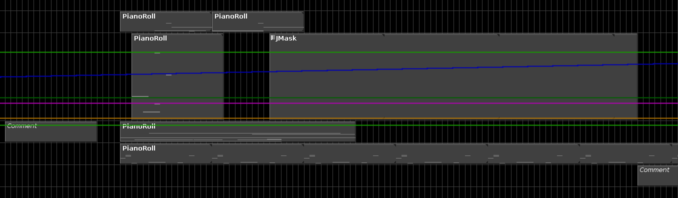
Sound Objects are objects on the score timeline that are primarily responsible for generating score data.
Common Properties
The following are properties that all SoundObjects share.
- Name
- Name of the SoundObject.
- Start Time
- The position of the SoundObject on the timeline. In current versions of Blue, this is edited as a typed time position rather than only as a beat value. The start time can therefore be stored and entered in beats, measure-based formats, clock time, SMPTE, seconds, or samples.
- Subjective Duration
-
The duration of the SoundObject on the timeline, as distinct from the duration of the generated score inside the SoundObject. This value may use beat-based or time-based values. How the subjective duration relates to generated score contents is controlled by the
Time Behaviorproperty. - End Time
- Read-only property that shows the end time of the SoundObject. Blue calculates this from the start time and subjective duration and formats it using the SoundObject’s current start-time base.
- Repeat Point
- Available on SoundObjects that support repeat-based time behavior. The repeat point may be beat-based or time-based, just like subjective duration.
- Time Behavior
-
Selects how subjective time should be used on a SoundObject. Options are:
Scale - The default option. Stretches generated score to last the duration of the SoundObject.
Repeat - Repeats generated score up to the duration of the SoundObject.
None - Passes the score data as-is. When using
None, the width of a SoundObject no longer visually corresponds to the duration of the score it generates.
For more detail on the new ruler formats and time-entry rules, see Time System.
About Note Generation
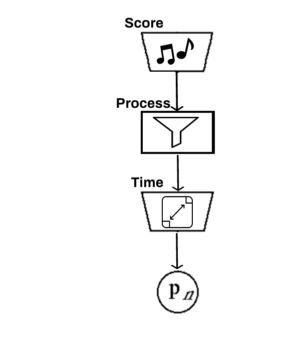
Sound Objects generate notes in the following manner:
SoundObject generates initial notes
NoteProcessors are applied to the generated notes
Time Behavior is applied to the notes
Partial Object Rendering
When using a render start time other than 0.0, how soundObjects contribute notes depends on if they support partial object rendering. Normally, notes from all soundObjects which can possibly contribute notes to the render (taking into account render start and render end) are gathered and then if any notes start before the render start time they are discarded as there is no way to start in the middle of a note and to know exactly that it sounds as it should as blue’s timeline only knows about notes and not how those instruments render.
However, there are certain cases where blue soundObjects *can* know about the instrument that the notes are generated for and can therefore do partial object rendering to start in the middle of a note. This the is the case for those soundObjects which generate their own instruments, such as the AudioFile SoundObject, FrozenObject, the LineObject, and the ZakLineObject. For those soundObjects, if render is started within the middle of one of those, you will hear audio and have control signals generated from the correct place and time.